
Target
- Understand what edge detection is and how it can be useful in image classification.
- Learn how cores are used to identify edges in a given image.
Note: If you are more interested in learning concepts in an audiovisual format, we have this full article explained in the video below. If that is not the case, you can keep reading.
Introduction
Let's start with an example. Suppose we have assigned you a task to classify a set of images in Cars, Animals and Humans. Here are a lot of pictures. Can you differentiate between the objects? Pretty simple, truth?
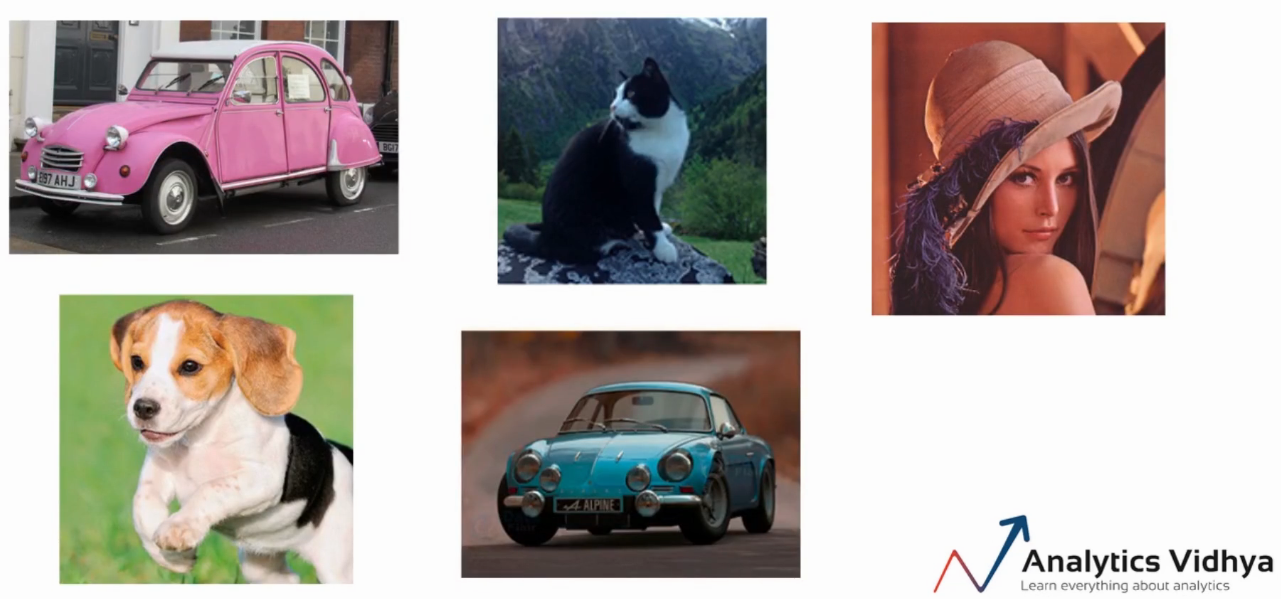
Yes, we can easily identify the cars, animals and humans in the images above. Now let's consider another set of images as shown below.
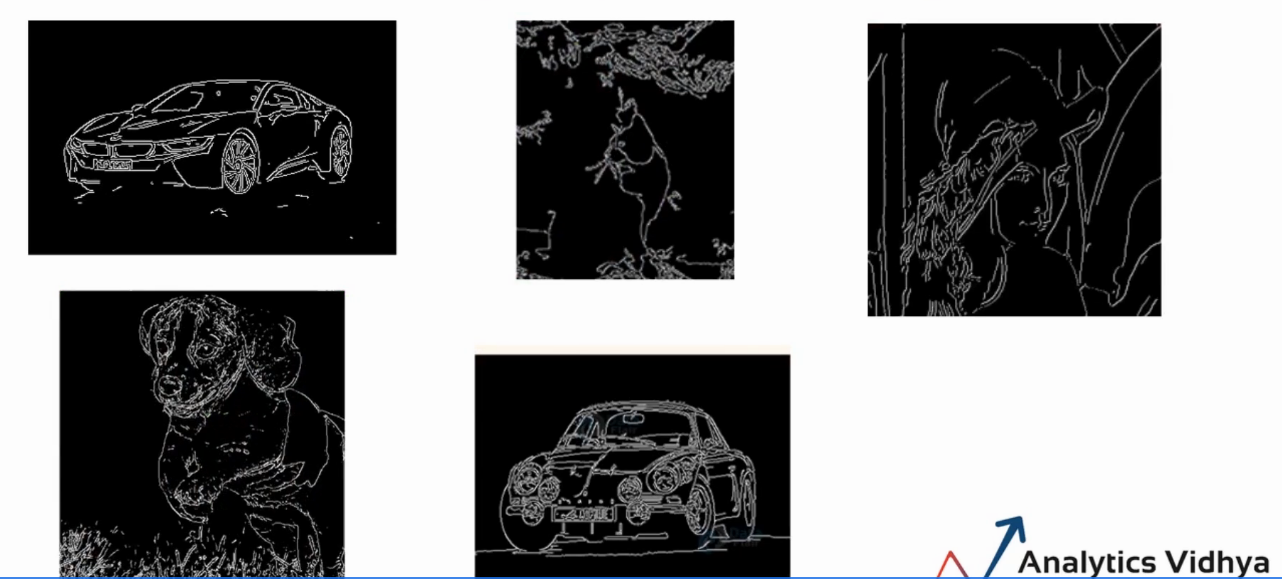
Can you still easily classify the images? I think so, we can clearly see that there are two cars, two animals and one person.
But, What is the difference between these two sets of images? good, in the second case we eliminate the color, the background and other fine details of the images. We only have the edges and you can still identify the objects in the image.
Then, for any given image, if we can extract only the edges and remove the noise from the image, we could still classify the image.
What is edge detection?
As we know, the computer sees the images in the form of matrices. As shown here.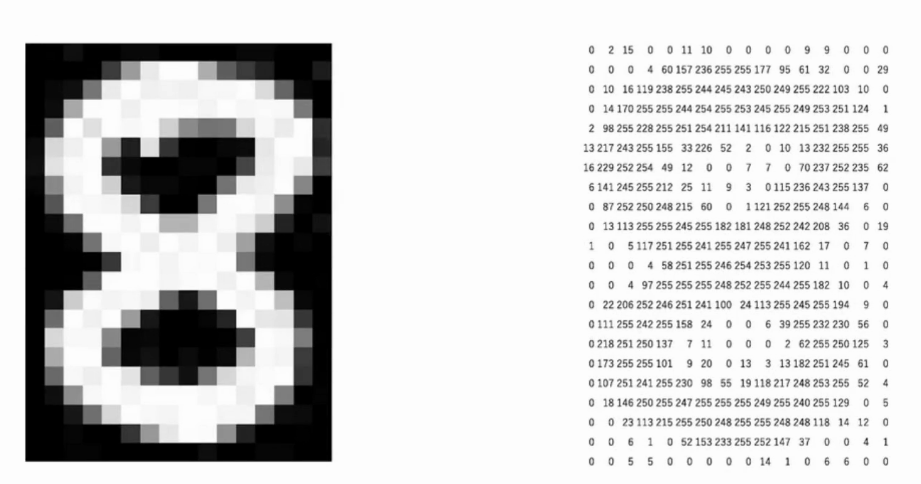
In this case, we can clearly identify the edges by looking at the numbers or pixel values. Then, if you look closely at the matrix of numbers, there is a significant difference between the pixel values around the edge. The black area in the image on the left is represented by low values as shown in the second image. Similarly, the white area is represented by the largest numbers.
Edge detection is an image processing technique to find the boundaries of an object in the given image.
Then, to sum up, edges are the part of the image that represents the boundary or shape of the object in the image. What's more, pixel values around edge show significant difference or sudden change in pixel values.
Based on this fact, we can identify which pixels represent the edge or which pixel is on the edge.
How to extract the edges of an image?
Once we have the idea of the edges, now let's understand how we can extract the edges of an image. Let's say, we take a small part of the image. We can compare the pixel values with the surrounding pixels to find out if a particular pixel is on the edge.
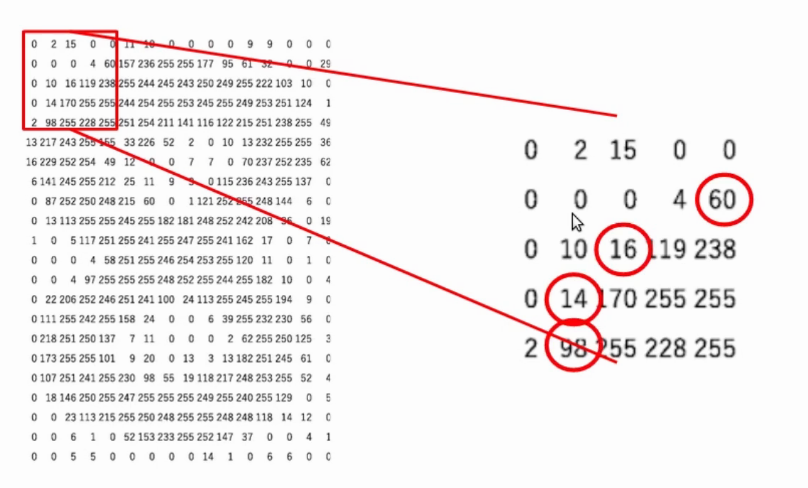
For instance, if I take the target pixel 16 and I compare the values to its left and right. Here the values are 10 Y 119 respectively. Clearly, there is a significant change in pixel values. Then, we can say that the pixel is on the edge.
Considering that, if you look at the pixels in the following image. Pixel values to the left and right of the selected pixel do not have a significant difference. Therefore, we can say that this pixel is not on the edge.
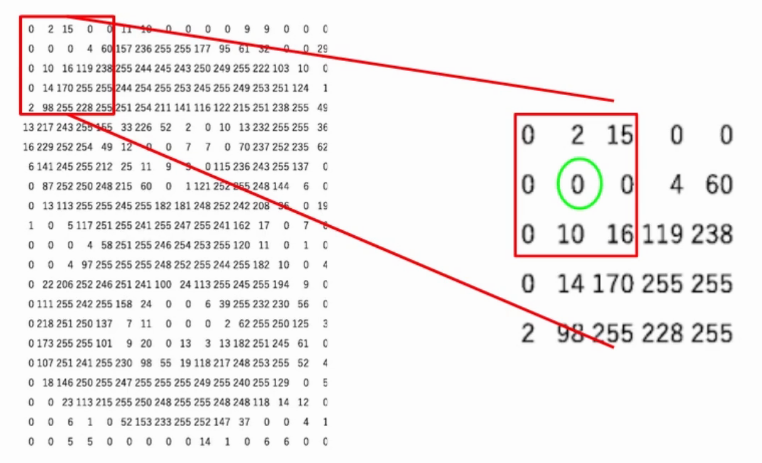
Now the question is if we have to sit down and manually compare these values to find the edges. Good, obviously not. For the homework, we can use an array known as el kernel and perform multiplication by elements.
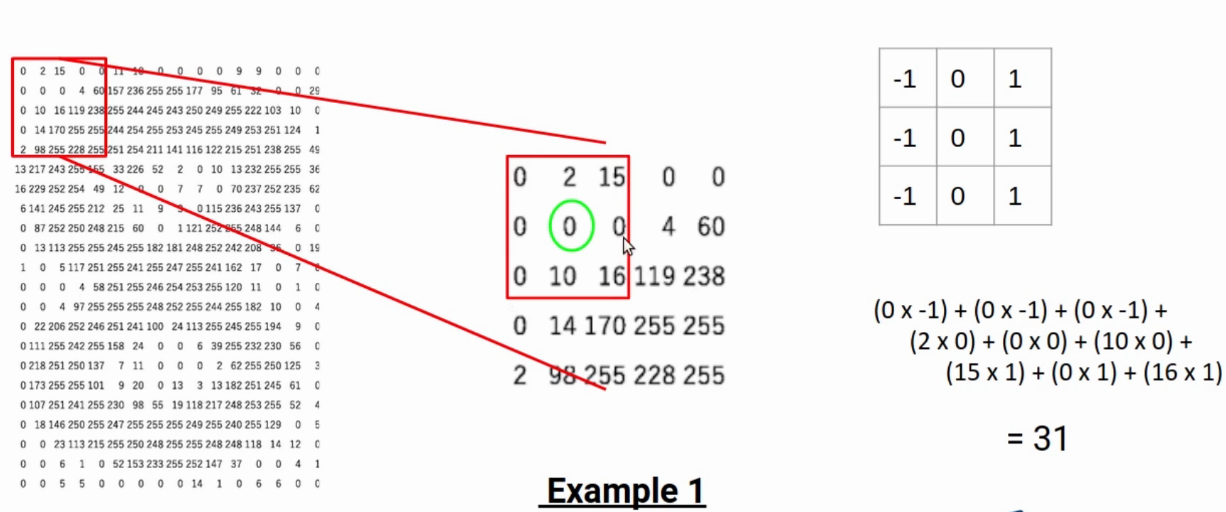
Let's say, on the selected part of the image, I multiply all the numbers on the left with -1, all numbers on the right with 1. Also all the numbers in the middle row with 0. In simple terms, I am trying to find the difference between the left and right pixels. When this difference is greater than a threshold, we can conclude that it is an advantage.
In the above case, the number is 31, which is not a large number. Therefore, this pixel is not on the edge.
Let's take another case, here the highlighted pixel is my target.
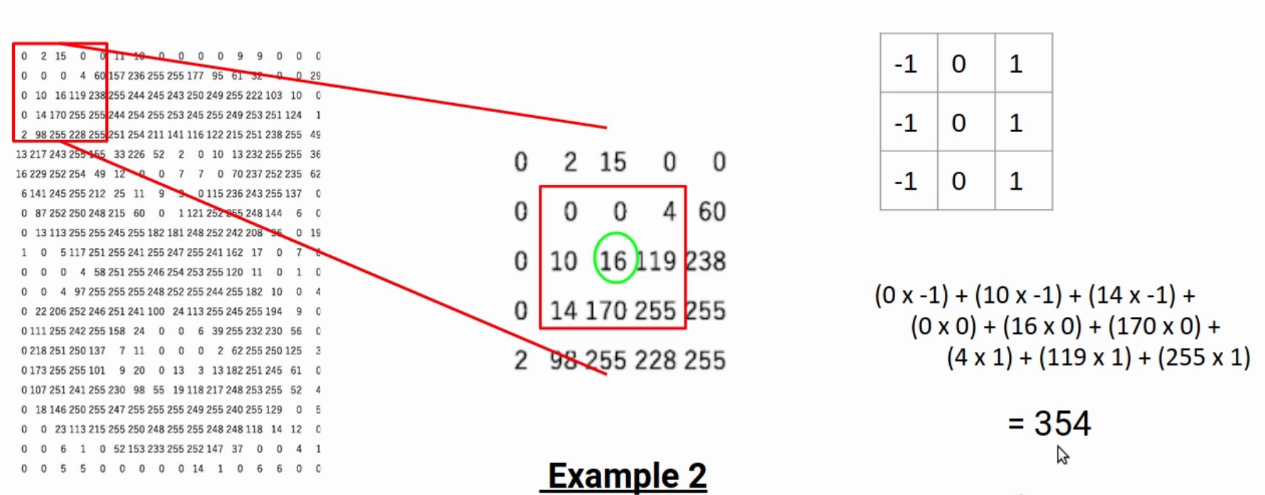
In this example, the result is 354, which is significantly high. Therefore, we can say that the given pixel is on the edge.
Filter / kernel
This matrix, What do we use to calculate the difference?, known as filter or kernel. This filter slides through the image to generate a new matrix called feature map. The feature map values indicate whether the particular pixel is on the edge or not.
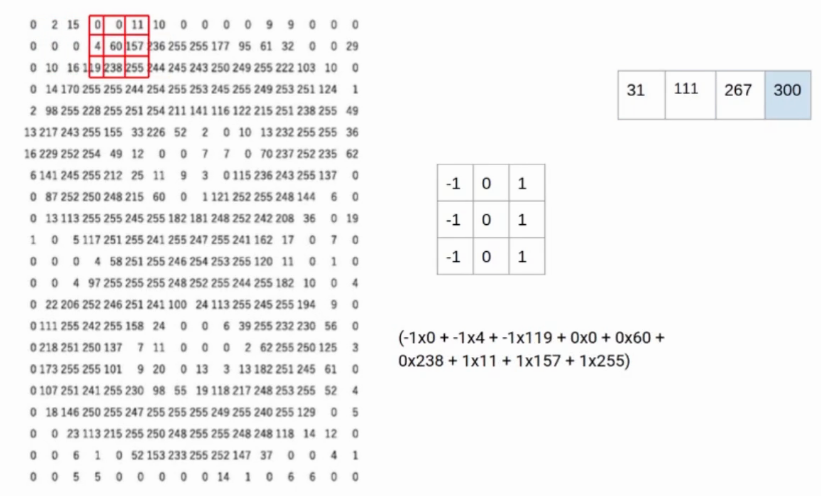
The kernel we used in the previous example is called the Prewitt kernel in the X direction. Since it compares the values on the horizontal axis. Similarly, have a Prewitt kernel in the Y direction. What's more, we have the Sobel kernel in the X and Y directions.
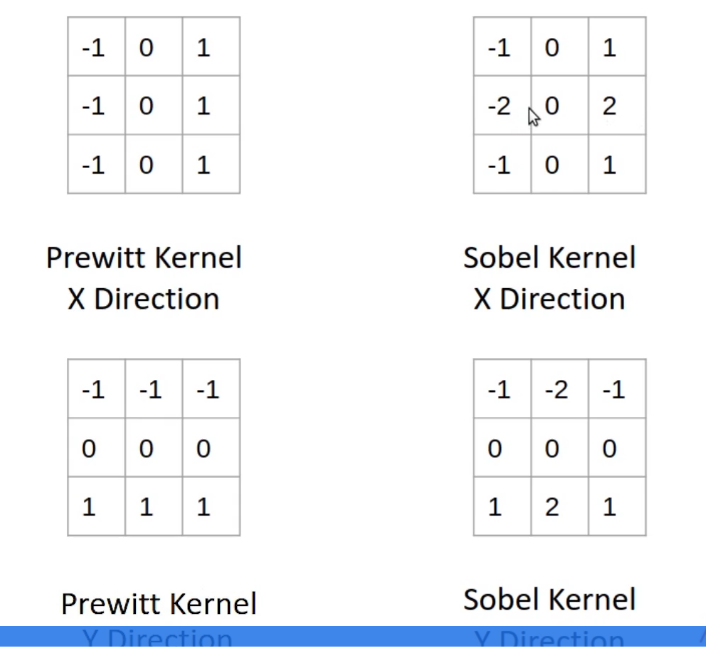
In the case of Sobel kernels, pixel values right next to the target pixel are given greater importance.
Final notes
In summary, pixels on the edge have a significant difference in values. We can compare the values of neighboring pixels to find the edge. What's more, an array or kernel is used to compare the values. The greater the difference between the left and right pixels, the target is closer to the edge. Similarly, Reduce the difference: the pixel is not on the edge.
If you are looking to start your data science journey and want all topics under one roof, your search stops here. Take a look at DataPeaker's certified AI and ML BlackBelt Plus Program
Let us know if you have any questions in the comments below regarding edge detection..





